
Short answer
PC Gamer reports that a camera workaround lets you move and use weapons in first person in GTA 6. Set the touch pad/select action to Camera 2 / 2, enter a car, open the phone, close it with Circle or B, then quickly press Select. Reload a save to return to third person. PC Gamer tested the workaround. We have not.
Key facts
- Walking and shooting in first person
- reported and tested by PC Gamer through a camera workaround
- Required setting
- Camera 2 / 2 under Controller Features, per PC Gamer
- Return to third person
- reload a save, per PC Gamer
- Known visual issues
- shoulder clipping and rough vehicle-entry animations, per PC Gamer
- Normal standing view
- L2, then L3 and R3. Moving exits it, per VGC
Advertisement
On this page
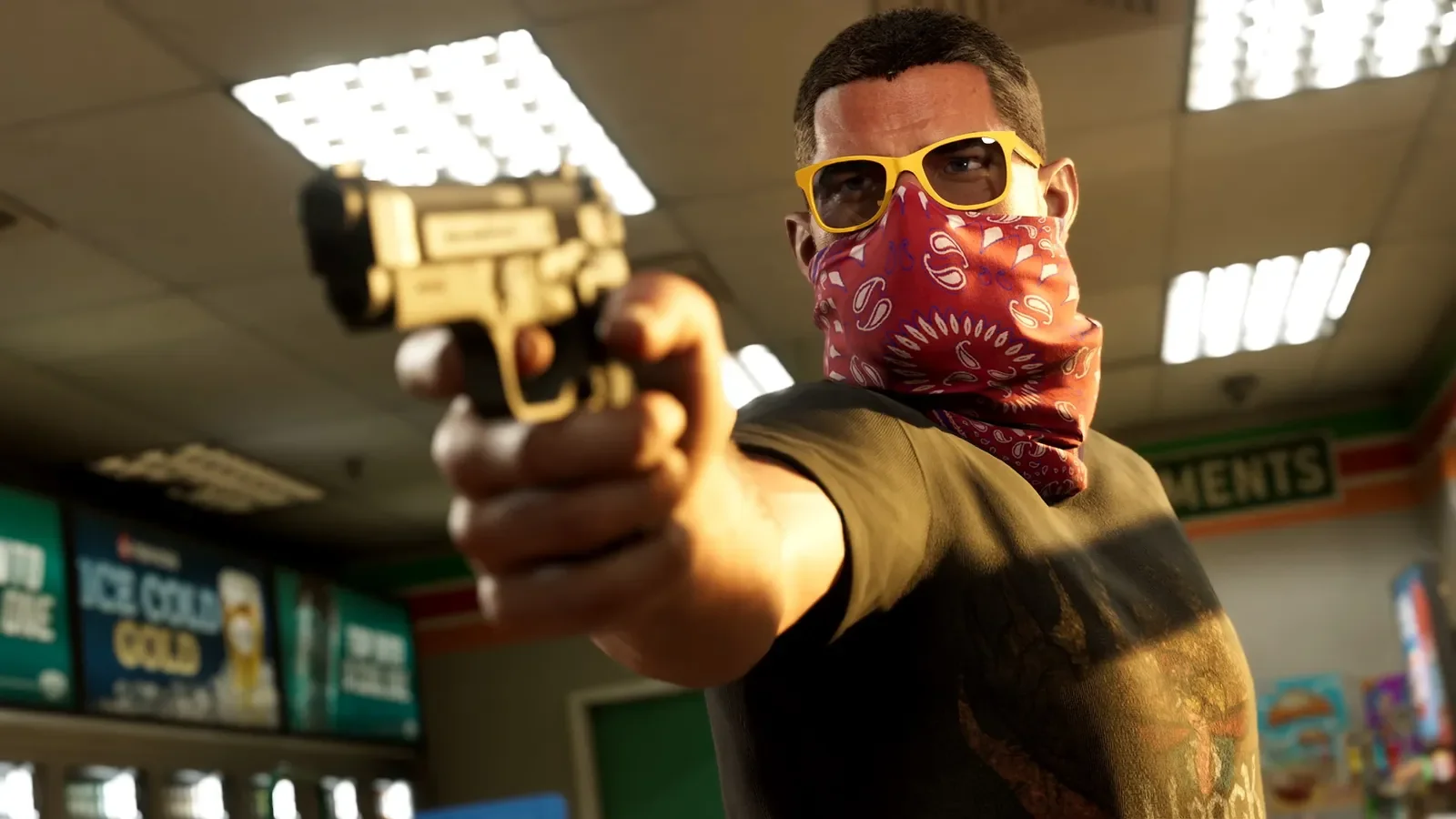
PC Gamer’s November 20, 2026 report describes a GTA 6 first-person workaround that permits movement and weapon use. Its contributor Morgan Park tested it. VGC describes a standing view that ends when you move. PC Gamer’s later report covers a different method. Reported, not tested by us.
How do you activate the GTA 6 first-person workaround?
PC Gamer gives this sequence. Its article uses touch pad/select and Select as the camera-action labels, with Circle or B for closing the phone.
- Open the controller settings.
- Under Controller Features, set the touch pad/select action to Camera 2 / 2.
- Get into a car.
- Open the in-game phone with the D-pad.
- Close the phone with Circle or B.
- Immediately press Select, the camera action described by PC Gamer.
PC Gamer reports that this leaves the camera in a first-person perspective for moving and using weapons. The article does not give a separate test result for each console, so its mixed input labels should not be read as proof of identical behavior on every controller. See controls for other documented inputs.
Advertisement
How do you switch back to third person?
Reload a save, per PC Gamer. Its report says you can save while in first person and immediately reload that same save to restore the usual third-person camera. You do not have to return to an older save for that method.
The save-and-reload instruction comes from PC Gamer’s test. We have not tried the workaround or its recovery ourselves. Our saving guide covers the separately documented manual-save controls.
Does the workaround have problems?
PC Gamer observed the character’s shoulders entering the camera view when holding a long gun. It also describes vehicle-entry animations as rough. Its report supports a usable workaround with visible problems. It does not establish a fully polished first-person setting.
The tested method is PC Gamer’s report alone. No future patch or official first-person release date is established by these reports.
How does the normal standing first-person view work?
VGC’s November 18 guide describes the regular standing view using PlayStation inputs:
- Stop moving.
- Press L2 to focus on a character or zoom the camera slightly.
- Click L3 and R3 to enter the standing first-person view.
- Move to leave that view.
VGC also reports first-person views in certain vehicles and aiming down sights with some weapons. It does not name every supported vehicle or weapon. Those narrower camera views remain distinct from PC Gamer’s later movement workaround.
Advertisement
Why does pressing both sticks start Focus?
VGC says that L3 and R3 without L2 first activates Focus instead and drains its meter. Kotaku also describes clicking the two sticks to activate Focus. For the standing camera view, follow VGC’s order and begin with L2.
Did GTA 5 have a full first-person mode?
As older-game history, VGC dates GTA 5’s full first-person mode to its PS4 and Xbox One release in 2014. That supported story and online play from the protagonist’s perspective. The GTA 6 instructions above describe the specific camera behavior reported in the opened November 18 and November 20 guides.
Questions people ask
Can you walk and shoot in first person in GTA 6?
Yes, through the workaround PC Gamer reports testing with Morgan Park. Its November 20 article describes movement and weapon use, with camera clipping and rough vehicle-entry animations. This is a reported workaround, not a Rockstar-announced full first-person mode or our own test.
How do you activate the GTA 6 first-person workaround?
PC Gamer says to open controller settings, set the touch pad/select action under Controller Features to Camera 2 / 2, and enter a car. Open the phone with the D-pad, close it with Circle or B, then quickly press Select. The article gives those input labels without a separate platform-by-platform test result.
How do you leave first person after the GTA 6 workaround?
PC Gamer says to reload a save. It reports that you can save while in first person and immediately load that same save to restore third person; an older save is not required. We have not tested that recovery.
How do you use the normal standing first-person view?
VGC says to stand still, press L2, then click L3 and R3. That gives camera control from first person, but moving exits the view. These are VGC’s PlayStation button names. The separate phone-and-car workaround is PC Gamer’s later report.
Why does L3 and R3 activate Focus instead?
VGC says clicking the sticks without pressing L2 first activates Focus and uses its meter. Kotaku also describes the two-stick Focus input. VGC’s standing-view sequence begins with L2.
Sources
Related guides
GTA 6 controls
GTA 6 control schemes and reported button inputs, with guidance on aiming assistance and camera or HUD options described by released-game sources.
Best GTA 6 settings and frame rate
GTA 6 settings to change: targeting, camera shake, subtitles, minimap and combat assistance, with current menu reports and official console performance facts.
How to save in GTA 6
GTA 6 has 15 manual save slots plus an autosave, per Eurogamer, GameRant and GamesRadar, and finished missions cannot be replayed. Checked 11/18/2026.
Advertisement

Get new GTA 6 guides by email
New guides as they go up, plus cheats once any are confirmed. Leave any time.
